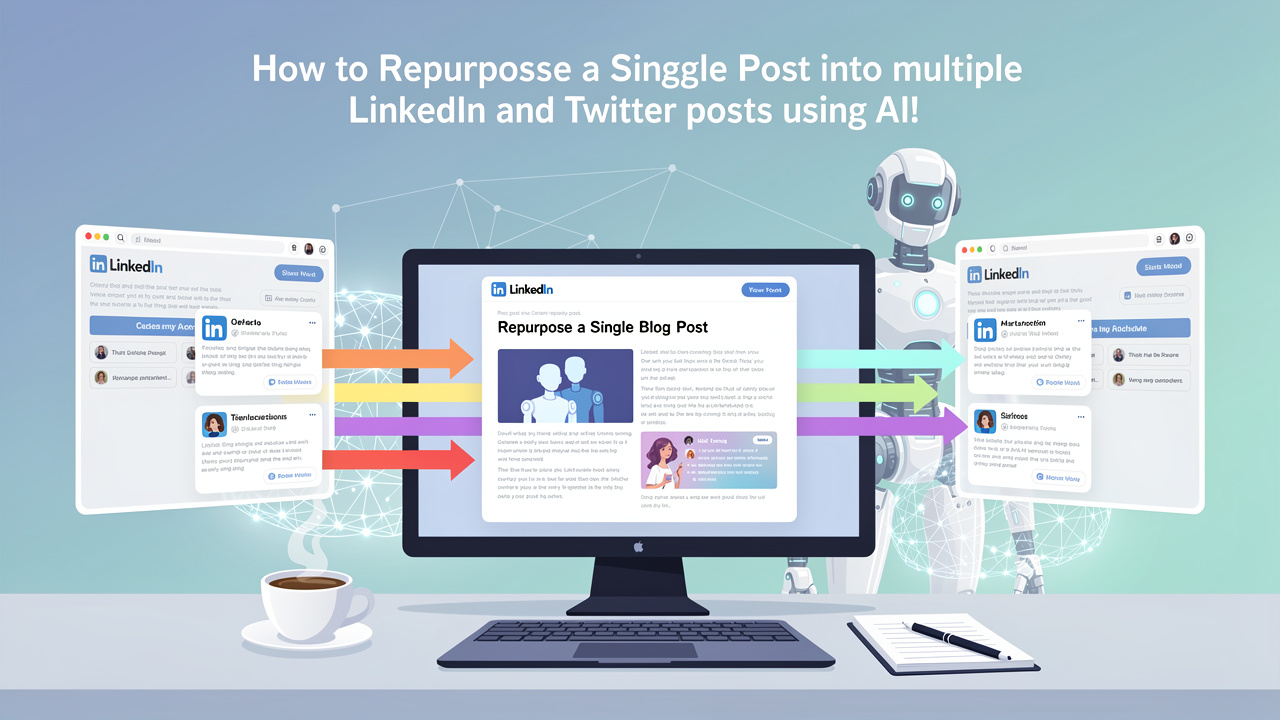
Content creation is hard. That afternoon you spent wrestling a perfectly crafted 1,500-word post for your website may leave you exhausted. But you don't want to just leave that well-researched content to lie stagnant online like a fallen tree in an untouched forest. Social media seems to be the perfect place to reintroduce these ideas and share the wealth of knowledge you've meticulously put together. Learning how to repurpose a blog post into linkedin and twitter posts using ai won't have you worrying about writing all new material either - content repurposing isn't just a creative "hack"; it's effective strategy that helps your content connect with more eyes than ever before! Whether you're targeting industry professionals on LinkedIn or grabbing immediate attention on Twitter, leveraging existing blog content for your social channels can actually lead to impressive results without even having to type a new word (almost)!
Why Should I Care About Content Repurposing?
If there's one thing that tends to be misunderstood is this: majority of your followers on platforms like LinkedIn haven't read your blog! The audience who is currently viewing your website rarely mirrors your follower count on social media - that's great news because your repurposing efforts reach completely new people with content they haven't even seen! Now that is reaching people. You can also provide value to the people who do follow you and increase your brand recognition because your message is consistent on each and every platform that matters. When working to meet demands of your followers, keeping up with creating fresh material each day can be a real struggle. Fortunately, by following the tips below, we are going to make that a breeze!
A New Beginning: Using your Blog to Work Smarter, not Harder
Here is how to tailor your already excellent material. LinkedIn and Twitter, formerly referred to as "X," are obviously very different communication channels. Something that does very well on LinkedIn may flop on Twitter. LinkedIn encourages in-depth conversations; many people visit the website to have deep conversations or even discussions around their professional life. Longer form posts can be effective as they often encourage engagement as individuals read them more closely. You should take care to include plenty of spacing and bullet points so that posts aren't overwhelming to readers on the page. On the other hand, Twitter demands snappy and concise messaging. Your entire article's main point would need to fit in a couple of hundred characters or so-or use a thread! …or a thread of posts to share in much more depth.
Tailoring Your Blog Content for Each Platform
LinkedIn "Find a stand out statistic": extract the single best stat from the post, then use it to begin the social media posting. Let "behind-the-scenes stories" tell "why": in this social media platform, individuals also want to learn more about your personal experience or how you got the information. LinkedIn readers are able to engage better, when they "are" engaged with behind the scenes and also behind of the work. "Transform a 'how to' for a slide post": Break down your step-by-step process into separate points for a presentation in image and text format, using lines for spacing. "Repackage a definition for a discussion prompt"; "Use the main problem from introduction": A brief description of the core issue is sometimes better to open a post on the site and encourage audience participation through comments. "Make the a quote social-media-ready"; "Take part in a conversation": When the blog contains controversial opinions or claims, Twitter has the power to attract much interest. Take one of the quotes or statements that are controversial or controversial from it, then take part in the Twitter chat and share some thoughts and perspectives on what was written.
Twitter Use your headline and post it to social media "Take some bits out to write some good "sound bites";" "Use the blog's subheadings": Each of the subheadings in your article can also become a separate tweet to provide more value to your readers, with an introduction and conclusion to the thread as well. "Pull a key idea and develop "quick tips"; "Take it to the thread "- turn key elements or a story out of it and write several related tweets with that theme or key takeaway. For instance, break down your five ways into five separate tweets, while weaving some context together and include the appropriate link with your final message or the first tweet if desired, and ask a question.
How to Repurpose Blog Posts Using AI Content Creation
Using the power of a savvy team of smart tools, content will come much easier! Some common AI content creation tools are Copy.ai, Claude, Jasper, as well as ChatGPT. The workflow: you have already identified a wonderful blog post, and all you should do is copy all of that for use and paste it into one of the mentioned AI content tools. Tell them what you plan on using the created content "for", (I'd suggest being more specific: if you just use "social media" then your response may not be as personalized). Next, give the AI tool precise commands like, "write for me five twitter "sound bites" for this topic", and you are able to make an outstanding social media strategy in minutes or a mere pair of hours!
A Quick Example
To demonstrate the ease of such a process, suppose you had just completed a 1,000 word blog post titled "Boosting Sales through Email Marketing". Using one of the tools listed previously you input "summarize 3 of the main strategies in this post as engaging tweets, highlighting the benefits. Make them suitable for business owners." and instantly received this output:
-
Increase email open rates with strong subject lines and personalized messaging. This is one tip guaranteed to boost sales from your email marketing campaigns! #EmailMarketing #BusinessTips
-
Utilize audience segmentation to deliver targeted content that resonates. When you send messages that speak to the right people, you can see significant improvements in engagement and ultimately drive more conversions. #SalesBoost #DigitalMarketing
-
A clear call-to-action is crucial for guiding customers. Make it easy for them to know what to do next and they'll be more likely to buy. What strategies have worked for your business? Let me know in the comments! #CallToAction #SalesStrategy
"Which of these subjects is the most surprising that you've experimented with lately?"
A previously shared Twitter string introduction: "Do your email open speeds decrease? Not really, however perhaps not for cause you could expect. A thread" you can observe the distinction? Exactly the same concept, totally different approach for different platform.
Tips for Using AI in Content Production
-
Ever read your materials very carefully - AI generally speaking sometimes mishandles complexity or explains issues plainly; you happen to be the skilled, therefore catch those cases.
-
Practice their speech - Give illustration of your very best efficiency that have your chosen artificial intelligence know about your personal design gradually.
-
Don't place pure artificial intelligence generation - Every single element needs the oversight of a person; offer specifics, traits, and also other items which make it totally unique for you.
-
Utilized it in structure, simply not information - Artificial intelligence is good at restructuring, it rearranges items; real pondering, expertise and information is intended to originate from one particular.
-
Test various tools - Some synthetic intelligence instruments provide excellent brief pieces; other individuals are great at length professional crafting; discover what fits the workflow.
Boosting Engagement
When engaging, conclude the posts with genuine concerns. Don't make use of insincere queries such as "what do you think." Alternatively, provide your target market with certain queries to answer. The actual time.
Post your own blog posts at times if professional organizations are usually active, generally on week-day mornings and early daytime. On Twitter, timing has also been significant, and a string usually performs better at certain times in the early morning. It is simple to influence your online algorithms by answering to opinions quickly as your blog post starts gaining traction, which helps to get more hits with the articles that you write.
It is very important to be consistently sharing material versus looking for ideal content.
Begin Taking Advantage of It Today
Choose the one blog post to share. It should have performed fairly effectively over the last few months. Choose one from your selected AI.
Past and produce a few 3 LinkedIn content articles and 5 tweet concepts by using your chosen AI tool. Spend 20 minutes to edit this information to make it appear you own authored it. You can timetable content to get posted during the following fourteen days.
That's how. You've now taken single information to make use of it more than 14 days in social media. Think about creating use of it for each and every post you've created before now?